Showing posts with label Blog. Show all posts

Wednesday, August 14, 2013

Blogging ...Where do I begin?

That is a great question!  I have had several teachers ask me about setting up blogs
http://ctmls.ctreal.com/wp-content/uploads/2013/01/blogging.jpgfor use with students as well as to have students create their own  blog.  I will be sharing how to create two different types of blogs in the next two weeks.  As a general rule, elementary teachers (especially K-4) tend to go the KidBlog route for simplicity in setting up class blogs, not needing an email to set up for students, and the security controls that go along with the product.  We will be looking at setting this digital tool up next week.

Many middle and high school teachers also are considering blogging - but tend to select Blogger as it is part of our student Google package and thus students already have accounts just waiting to be logged into and set up.  This is the digital tool we will explore over the next week...breaking down the settings and creating blog posts!

The first thing you will want to do is to logon to Blogger - so go to http://www.blogger.com/ to get started!  Video Break - a 3 minute tutorial to help get you started!


So you are set up and now wondering what you might want to do with your blog?  Let's take a quick look at this blog and see if we can't give you some ideas for planning purposes!


Whew - I know this is a LOT, but it is a good idea to do a little planning before you dive into setting up your blog.  Share your ideas on #lpsconnects to connect with other educators and grow your PLN in the process of creating something new and exciting for your students!

In our next session, we will be working on the Settings and Layout features of Blogger!

Blogger Image: http://ctmls.ctreal.com/wp-content/uploads/2013/01/blogging.jpg

Monday, July 29, 2013

What’s on Your Stick?

Post by LPS Director of Curriculum Jeanette Westfall

Stick
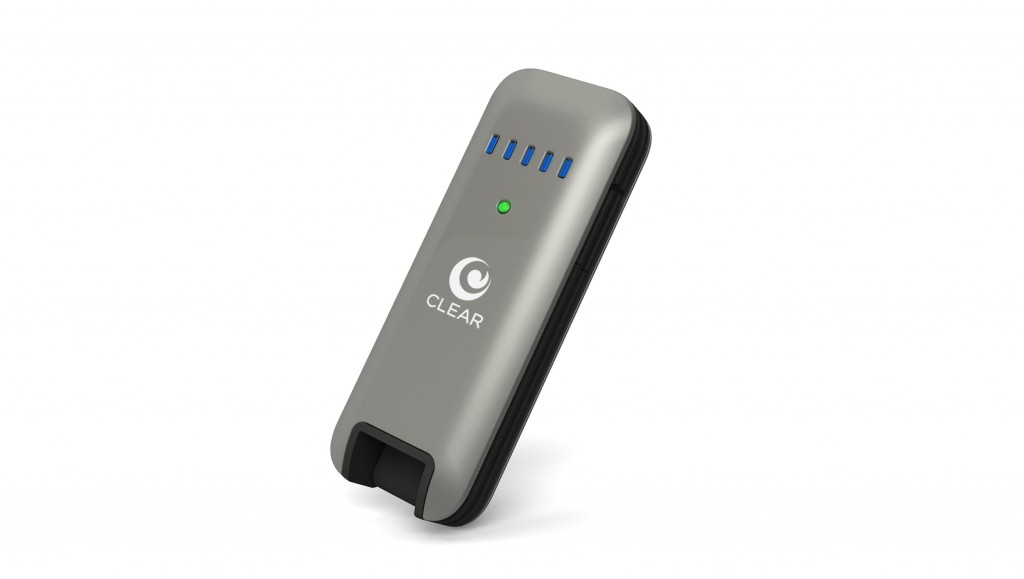
When Liberty Public Schools Tech Instructional Coach Tracey Kracht asked for volunteers to contribute to our district blog, I admit I was excited and nervous at the same time.  I’m not new to blogging in education.  I maintained a leadership and operational blog for some time now called Ancora Imparo.  My audience was primarily my own high school staff, but it does provide an interesting archive of the journey our high school was taking.CLEAR-Stick-Atlas  It boils down to 23 foundational activities, tools, or processes that one should absolutely know in this century as a digital learner.  I can tell you honestly that I never hit 23.


When I began my digital learning journey, I will never forget my dear friend, mentor and building instructional coach Sean Nash (Nashworld) sharing insight on so many different tools that teachers could use to integrate technology into a classroom.  The term he initially used was “23 things on a stick” which is a great Google search to learn the history.  

On July 9th,  Ian Jukes (Fluency 21/Committed Sardine) authored a post of “9 Learning Tools Every 21stCentury Teacher Should Be Able to Use” that provided a more focused and attainable goal for me as a learner.  It’s a great checklist for anyone building a first digital toolbox, and a great reminder for those who have been working on one for several years.  Check it out.  You will be glad you did.

Images from Google images:  ”Stick” and “CLEAR Stick Atlas“

Friday, July 26, 2013

Get Your Blog On

If you've decided blogging is something you'd like to explore, we want to share three blogging tools worth considering: KidBlog, Blackboard, and Blogger.

Options for Students
KidBlog is a blogging tool designed to be a safe option for students.  It's much more private than many blogging tools and can't be accessed through an RSS reader.  KidBlog's site is very user-friendly and their blog templates make creating an attractive blog easy.  Login with your google account and create a class so students can enroll.  Check out this quick video overview if you are interested in learning more about KidBlog.


If you are a BlackBoard user, there's also a blogging feature available in the Interactive Tools.  Like KidBlog, these can't be accessed through an RSS reader.  In fact, they are only available to your assigned BlackBoard users.  This makes it a great place to start if your students are beginning bloggers or if you just want a more private environment.  BlackBoard does not include templates or design, so it's also a good place to start if you want the students to focus on the writing without focusing on appearance.  Click HERE for a video tutorial.

Options for Teachers and Students
Blogger is available through your school google account and is a great way to reach a wider audience.  This LPS Connects site is an example of Blogger!  A variety of templates are available and the final products are professional and attractive.  Blogger can be accessed through RSS readers, which helps you build a following.

Click HERE for a video to get you started.

If you decide to blog, be sure to share your posts with us at #lpsconnects.  Now get your blog on!

Thursday, July 25, 2013

To Blog or Not To Blog?

As you become more involved with reading the blogs of others, you might be thinking about starting your own.  Blogging is definitely an amazing example of the power of the web.  In just moments, you can share your thoughts with the world in ways that were almost impossible before computer technology.  There are some great benefits to blogging, but there are also some definite points to consider before you begin.  Here's some food for thought:

Decide on the AUTHOR!  Many teachers and administrators host their own blogs, sharing their reflections and tips for professional success.  Likewise, many teachers engage their students in the blogging process.  Engaging students in the blogging process is definitely a way to integrate some of the Common Core writing and digital standards for any content area.

Determine your PURPOSE AND AUDIENCE!  Like any other good writing, it's also important to determine the purpose and audience of your blog.  Do you want to share your class news with parents?  Do you want to reflect on your professional experiences as a teacher or administrator with educators worldwide?  Do you want your students to blog about their learning experiences to share with experts in the field?  The options are unlimited!  Visit your favorite blogs to determine what you like about their purpose and style.

Strive for FREQUENT posts!  Blogging requires more time than one might think.  Be sure to set some goals for how often you would like to post, and set a schedule to stay on track! The bottom line is that if the blog isn't updated, people will stop reading.  If you are using blogging with your students, be sure to build in plenty of time for students to brainstorm, write, and comment on one another's posts.

Be AWARE of what you can share!  While there are fair use guidelines that make it a little easier on educators, it's important to be mindful of Copyright law and Creative Commons guidelines if the work you are sharing is not your own.


Engage Students (or Peers) in a Blog Study!

Have you ever engaged in a book study where you were unhappy about paying for a book that you may or may not have loved reading?  Now that you have experience with Blogs and subscribing to RSS Feeds, why not invite your colleagues or students to partake in a Blog Study!

http://www.tcdailyplanet.net/sites/tcdailyplanet.net/files/2010/January/cc%20blog%20photo.jpg
Consider posing a question and encourage all members of the group to go out and find blogs (or use ones you provide) to read about current thoughts wrapped around the discussion topic.  Use Today's Meet or a Twitter Hashtag as a one-stop shop for discussing what was learned through reading.

Encourage others to pose additional questions building upon the topic of discussion.  As you expand and have more participants reading a wider variety of blogs, articles, infographics, etc you may just find growth in thinking... 140 characters at a time (talk about a lesson in synthesis!)

Post your "Blog Study" thoughts on #lpsconnects!

Wednesday, July 24, 2013

Reading the Right Stuff: Finding Great Blogs to Follow

Once you select an RSS reader, the fun begins.  Reading educator blogs is a fantastic way to learn new ideas, keep up with research, and stay afloat in a sea of ever-changing educational trends.  Finding great blogs can be like finding the needle in a haystack, so today I'd like to share a few of my favorite blogs.  I hope this will help you add to your own collection or get started using your RSS reader.


Without further ado, here are my favorites:

Fluency 21 - Committed Sardine Blog:  The Committed Sardine blog has thousands of posts, and I love the combination of information on digital natives, brain research, and technology tools and tips.  This is a must-have blog for the 21st-century teacher.

A Principal's Reflections: Principal Eric Sheninger's award-winning blog offers big ideas on school change, great tips for capitalizing on the power of technology in school, and reflections on continual learning and growth.  Sheninger's ideas really inspire!

Catlin Tucker: Blended Learning and Technology in the Classroom: Catlin Tucker is a high school ELA teacher using blended learning approaches, but she posts so many great technology ideas that could help teachers K-12 in any subject area.  She offers practical tutorials and ideas to harness the power of technology.

Dy/Dan: Don't tell my husband, but I love Dan Meyer!  Meyer is a former math teacher. He has an amazing talent for provoking wonder and curiosity, along with infusing technology in the learning process.  Dan Meyer will make you believe in the power of inquiry.  Check out his 3-act math ideas for a whole new way to think about possibly flipping your classroom.

Langwitches: Sylvia Rosenthal, a 21st century learning specialist, provides a hub of amazing resources at the Langwitches blog.  She writes on educational technology and offers a host of tips for success.  She also offers great ideas to get students blogging.

So where can you find other blogs?  Many educators that blog include the blog link as part of their Twitter bio.  That's always a great place to start.  Click HERE for an #edchat collection of bloggers.

Consider doing a blog study as a staff instead of a book study, or find blogs centered around your next unit of study that students might explore.

Please share your favorite blogs, blog posts, or something you learned from a blog article on our Twitter hashtag #lpsconnects!


Tuesday, July 23, 2013

Become a Readivore with your New RSS Reader

It's amazing how much information you can quickly consume when it's all in one place, right at your fingertips.  To make RSS feeds truly work for you, you will need to decide on a reader service you'd like to use.  The fancy word for it is an RSS aggregator.  There are many options of RSS readers available; this post is going to feature three RSS readers that we think you'll like.  You will probably want to choose one of the three in order to keep all of your content in one place.

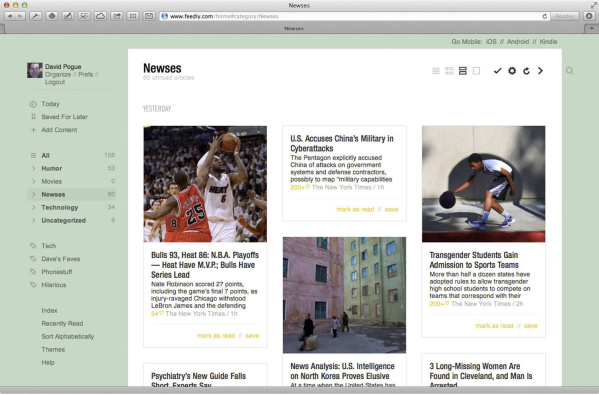
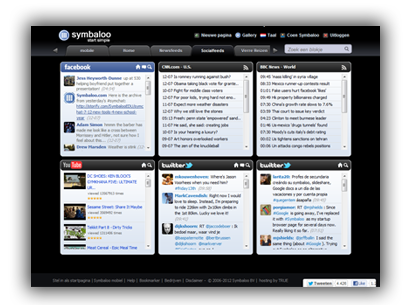
Here's a quick snapshot of the three options - you'll notice they all have a bit of a different look about them.
Feedly

NewsSquares

Symbaloo

Feedly is a great option if you want a reader with more of a linear approach.  Check out this video for a more in-depth look at Feedly and a quick tutorial on getting started.


NewsSquares provides more of a visual look to your reader.  Each feed is represented as a square on your screen.  This NewsSquares video will demo the features of this reader.  Download the NewsSquares app in the Chrome webstore to get started.


While you may already be familiar with Symbaloo, did you know you can use Symbaloo as an RSS reader?  This reader also has the tiled approach of NewSquares, but they are more text heavy.  Symbaloo would be a great option if you want to share blogs with students.  Find several blogs related to your next unit of study, load them into a Symbaloo webmix, and share the webmix with students.  This tutorial will show how to add RSS feeds to a Symbaloo webmix.


Tweet to #lpsconnects and let us know which reader you select, or if you have another reader you prefer.  Tomorrow we will talk about finding great blogs to follow.

Monday, July 22, 2013

Feed Your Need: Using RSS to Simplify Your Life

Do you ever feel overwhelmed by the internet?  There are so many news sites and blogs are emerging daily.  How do you remember which ones are worth a return trip?  How do you keep up without thumbing through website after website?  The solution is an RSS reader!  A year or so ago, I'm not sure I could have explained what an RSS reader does, but the concept is actually very simple.  Now I wouldn't want to work without RSS working for me!

RSS stands for Really Simple Syndication.  In essence, it means the information YOU want is coming directly to you, rather than you having to go seek out the sources.  Think of it like shopping at Barnes and Noble vs. Amazon.  Rather than going out to the store, the store is coming to you!

Check out this quick video by WydeaWonders for the 4-1-1.


The first step in getting RSS to work for you is to select a reader.  In tomorrow's post, we will feature three popular readers: Feedly, NewsSquares, and Symbaloo.  After deciding on your reader, you will be quickly on your way to managing your favorite blogs and using blogs to enrich your learning and the learning of your students.

Here are my top three reasons to love RSS readers:
  • Time is on your side.  It's as if you have a date with all these bloggers, but you never sit around waiting for your date to show up.  They are always at the door, and you can decide when you want to open the door and whom you want to go on a date with!  And if you want to ignore your blogs for awhile, they will never know but they will always be waiting for you!
  • Personalize for your interests.  An RSS reader allows you to find and follow the blogs and news sources of your choice.  I'm always on a quest to find the blogs that give the good stuff and I'll share some of my favorites in the next couple days. 
  • Stay in the loop without running around the Internet.  An RSS reader allows for one-stop shopping, which makes it easy to keep up with the latest ideas or share information with your students in a user-friendly way.


Thursday, July 18, 2013

Student Blogging

I love teaching writing. It allows me to see students find their voice, grow in their creativity, and learn very practical skills. Last year, however, writing became my favorite thing we do in the classroom. It all began with creating a class blog.

Why blog? It provides students with a platform. (They were now publishing writing to share... much more purposeful than publishing writing to turn in for me - their teacher - to read, assess, and return.) It provides students with a real audience. (Anyone in the world could now read their writing, and we received comments from students all across the United States.) It provides students with an experience. (Students were using a digital tool that allowed them to be "connected" as well as have a creative outlet for new options such as customizing their personal blog page). Another words, why not?

When I was looking into setting up the blog, I discovered many different platforms. I chose Kidblog (http://kidblog.org) and absolutely love it for various reasons. A few of Kidblog's highlights include:
  • It's free (and doesn't have ads)
  • It's designed for teachers to use with students (yet students don't need an e-mail address)
  • It's safe (with teachers having control over accounts, moderating blog posts, and allowing comments)
  • It's simple (while using WordPress software)

Students used our class blog to publish writing about school, their learning, or anything that was important to them. Students blogged during writer's workshop, while in the computer lab, and some even blogged from home (including on a SNOW DAY!). We shared our blog by telling others about it, through e-mailing families and friends the web address, and via our class twitter account. (@KidblogDotOrg even retweeted us to help us gain a following.)

Blogging not only allows classrooms to share writing; blogs allow you and your students to share various types of media: pictures, videos, audio. Try it out. Students love it, and you'll probably discover that you do too.

-Matthew Krohne

Thursday, July 11, 2013

Work Smarter NOT Harder!


Now that you are not going to lose any of your links again, consider using widgets to post your diigo content in a blog, website, etc. through the widget feature.  Remember, when your audience can get everything in a one-stop shop, that makes for a happy customer (and reduces confusion).  For the most part, you will want to isolate the embed code from one of the widgets and then add to your website.

On blogger, we pulled the embed code and then on the right side of the blog inserted an html widget and posted the code there - it appears on the side of the blog and updates as new items are saved.

A few widgets you can use from the diigo Tools site:

Add To Diigo Widget - you can add this to your blog or website and people can click to add your site to their diigo accounts.  This is another way for your visitors to always have a link to your webspace.

Diigo Tag Rolls - add your diigo tags to your website.

Enhanced Linkrolls - add your annotated titles/links to your website!

Calling a Guest Blogger - Did you know that diigo can also be blog posts?  I haven't tried this yet, but would love to have someone explore this option and blog about it for the group!  Any takers?  It will earn you a Guest Blogger Badge!

Send to Blog
Auto Blog Post